Can you customize the Plex interface?
If you've wished the Plex home screen looked the way you want, with your own rows, your own sections, and the ratings you care about, here's what's actually configurable, and how Poptonium turns a Plex library into a layout the server owner fully shapes.
Short answer
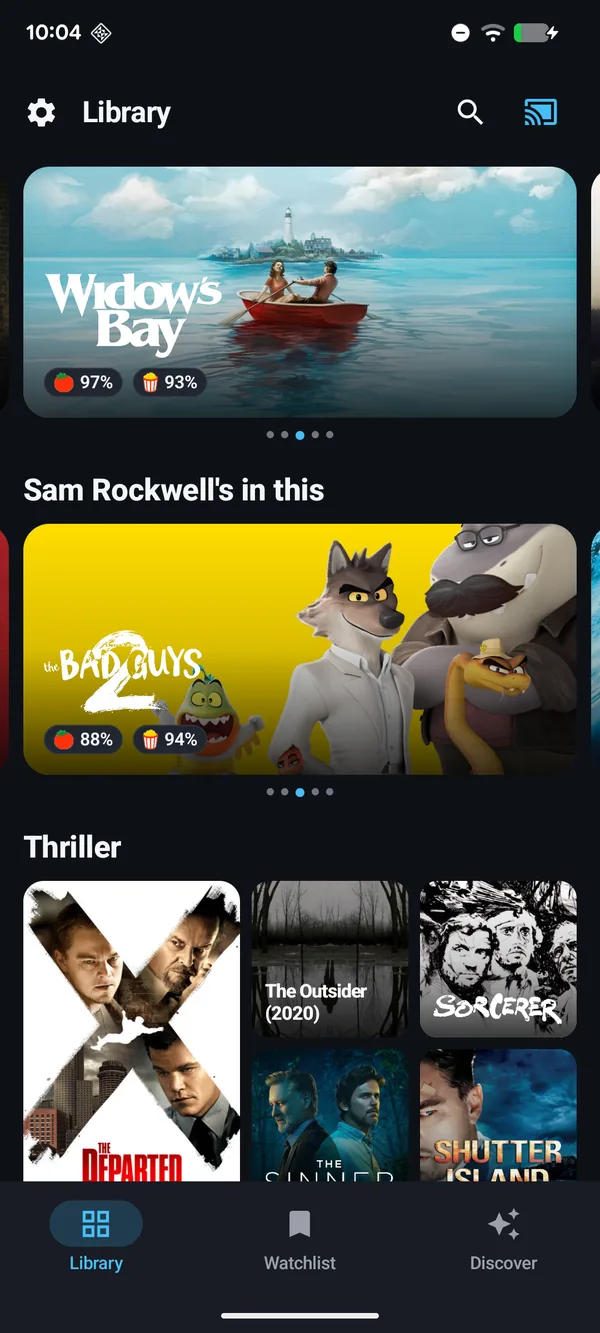
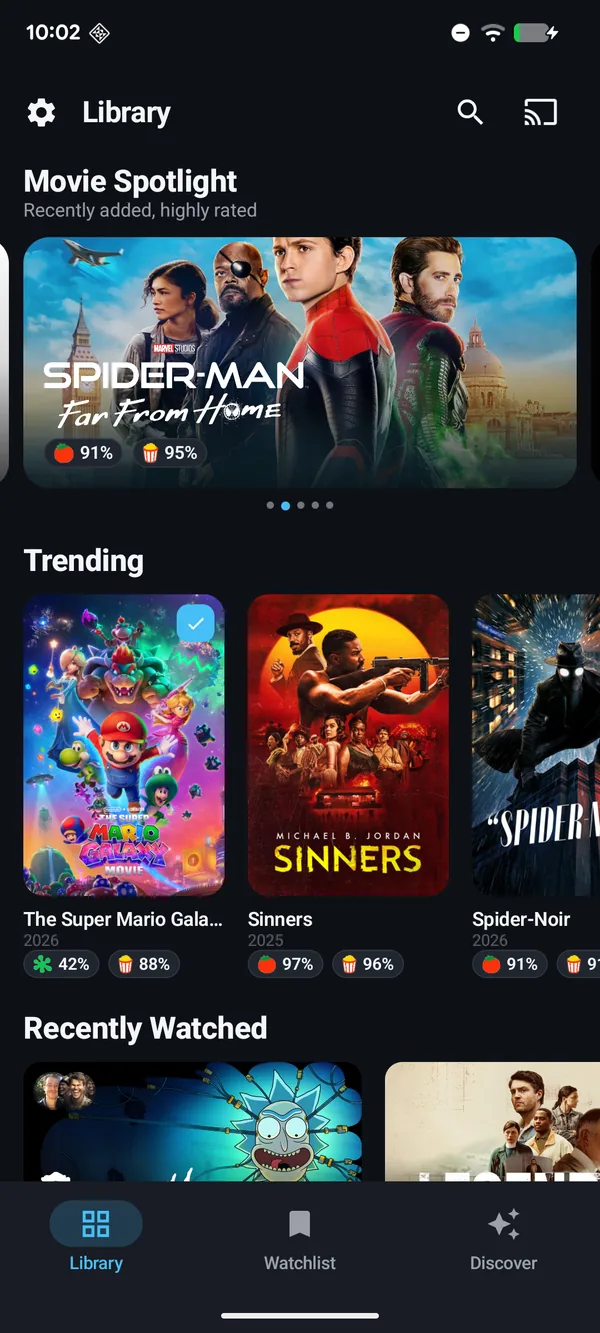
The stock Plex apps give you a mostly fixed layout with only light reordering. For a genuinely customizable interface, Poptonium lets the server owner build the home screen from custom rows, sections (from any collection or filter), hero banners, and the ratings they choose, and every viewer sees that curated layout.
What you can customize in the stock Plex apps
The official Plex clients keep the layout fairly locked down. You can pin or hide some libraries, toggle a few home hubs, and reorder certain rows, but the overall structure (the hubs Plex shows, the ordering logic, the promoted content) is largely decided for you. If you've searched for a "Plex customizable interface," it's usually because you've hit the edge of that.
What a fully configurable layout looks like
Poptonium takes a different approach: the server owner shapes the view, and that layout is what everyone sees. Instead of a plain grid, the home screen is something you compose.
- Custom rows arranged in the order you want, not a fixed hub list.
- Sections from a collection or a filter that blend genres, recently added, release windows, and rating minimums into one row.
- Hero / spotlight banners to feature a movie or show at the top of the library.
- The ratings you choose (IMDb, Rotten Tomatoes, TMDB, and Metacritic) shown on every title, weighed the way you decide.
- An optional nightly popular feed sitting next to your own library, or left off entirely.
How to build a customized Plex interface with Poptonium
- Install the app and sign in with Plex. Poptonium connects to any Plex Media Server you can reach and works as a plain Plex client right away.
- Set up the optional Poptonium server. The curated layout, custom sections, and chosen ratings are powered by the self-hosted Poptonium server, one small Docker container the owner runs.
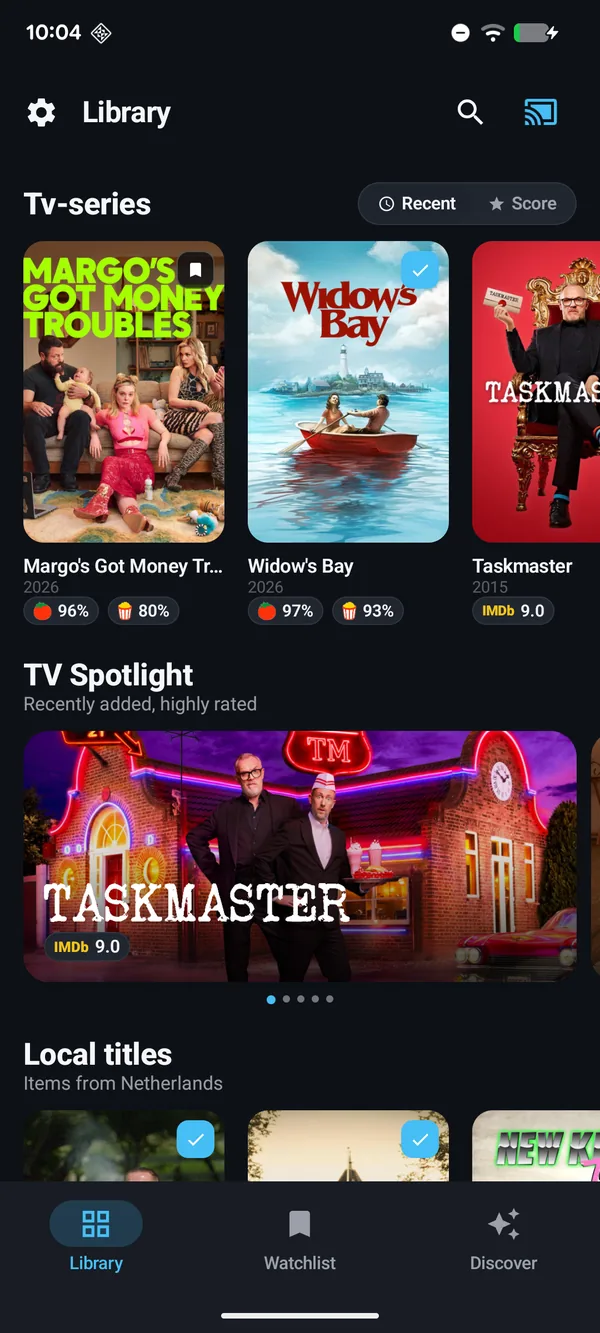
- Build sections from collections or filters. In the web admin UI, create sections from a Plex collection or a filter, and mix in release windows and rating minimums.
- Arrange rows and pick a hero. Order your rows and choose a spotlight banner so the home screen reads exactly the way you want.
- Everyone gets the same shaped view. Guests who open the app on your server see your curated layout, and can cast any title with full Google Cast support.
Because Poptonium only changes presentation, your underlying Plex library is never touched. Your files, collections, and metadata on the server stay exactly as they are.
Make Plex look the way you want
Custom rows, sections, hero banners, and the ratings you choose, with full casting for every viewer.
Frequently asked questions
Can you customize the Plex interface?
The stock Plex apps give you a mostly fixed layout with limited reordering. For a genuinely configurable interface, Poptonium lets the server owner shape the home screen with custom rows, sections built from collections or filters, hero banners, and the ratings they choose, and every viewer sees that layout.
How do I make my own rows and sections in Plex?
With the optional Poptonium server, the owner builds sections from a Plex collection or a filter, blending genres, recently added, release windows, and rating minimums, then arranges them into rows and hero banners that everyone using the app sees.
Does customizing the layout change my Plex library?
No. Poptonium reads your existing Plex Media Server and only changes how the library is presented in the app. Your files, collections, and metadata on the server are untouched.
Do all viewers see the customized interface?
Yes. The owner-curated layout is what everyone who opens the app on that server sees, so a shared library looks the way its owner intended for every guest.